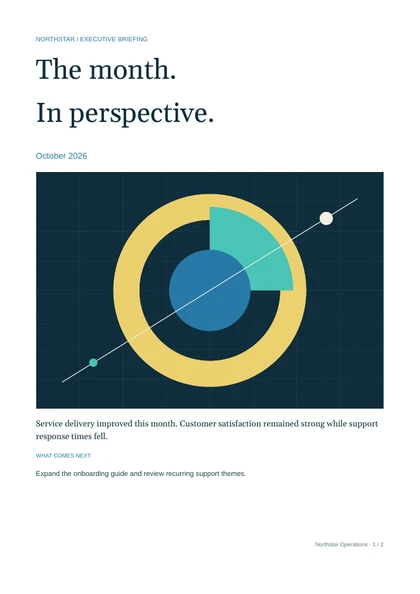
Monthly report pack
A summary and a detailed performance report assembled into one PDF.
Open 2-page PDF
SQL Server Reporting Services
If your .NET app already has the data, choose Bitavu for the PDFs it delivers. Edit and test layouts in the browser, manage templates in one workspace, and pick the version your app uses.
14 days of Studio and API access. Payment card required.
Why choose Bitavu
A customer needs a wider description column. A teammate can find the report, make the change and test long descriptions in Studio. The customer portal can keep using its tested revision while the new layout is reviewed.
Templates, fonts and artwork live in one searchable workspace. Share a link to the saved version you’re reviewing.
Each save creates a version. Give it a title, leave a review comment or open an older snapshot.
Share headers, footers and sections. Reports keep their tested component versions until you choose to update them.
If a new publication requires a field your app never sent, affected latest-published requests return a compatibility error before rendering. If the layout needs a rollback, republish a previous saved version after checking it against your integrations. See both API request modes
Starting with SQL Server 2025, Microsoft consolidated on-premises reporting under Power BI Report Server. SSRS 2022 is still supported through January 11, 2033. Power BI Report Server is Microsoft’s upgrade path for teams that want to keep their RDL reports and report-server workflows.
Your application already knows which data to include and who can see it. Let the team own the layout in Studio while the app keeps its data access and delivery logic.
Stay with Microsoft when your team depends on an on-premises portal, shared datasets, multiple export formats, interactive parameters or report-server subscriptions.
Microsoft’s Reporting Services consolidation FAQ · Microsoft’s report server migration guide
Both can produce paginated PDFs. They differ most in where queries run, who can update a layout, and how a published change reaches your application.
| Task | SSRS | Bitavu |
|---|---|---|
| Design a paginated report | Author .rdl files in Report Builder or SQL Server Data Tools. Use tablix regions, groups, matrices, charts and expressions. | Design in a browser. Bind repeating rows, style content and preview page breaks from JSON test data. |
| Get the data | The report server runs embedded or shared datasets. Report parameters can drive queries, filters and expressions. | The app queries its existing data and sends JSON. Keep business rules, authorization and complex grouping in the app or data layer. |
| Review and release edits | Publish .rdl files to the report server. Teams can manage source files in their own version control and deployment process. | Save and review template versions in one workspace. ASP.NET can pin a tested revision or follow compatible published updates. |
| Run and export | Use the report portal or export from the server, including via URL access. SSRS can produce PDF, Excel, CSV and other formats. | Request a PDF from a saved template via HTTPS. Your app handles the download, archive or delivery. |
| Schedule delivery | Report subscriptions can send output by email or to a file share. Data-driven subscriptions can resolve recipients and parameters from a query. | A job or workflow chooses the schedule, recipients and report inputs, calls the PDF API and delivers the file. |
Microsoft’s paginated report overview · Report datasets · PDF export by URL · Data-driven subscriptions
Suppose a customer clicks Download invoice in your ASP.NET portal. The app checks access in both workflows. When it already owns the query and delivery, you can replace the PDF renderer behind the same download.
The app reads the invoice, sends JSON with a template ID and saved revision, and returns the PDF bytes to the customer.
The app can request the report with an invoice parameter and PDF export format. SSRS runs the dataset, applies the RDL layout and returns the PDF. Layout edits go through your report authoring and deployment workflow.
For the first release, pin the tested revision. Later, the app can follow compatible published versions if the team wants routine layout updates to go live from Studio. Keep the API call and credentials on your server.
Generated with Bitavu
Check the page breaks, repeating content and layout before rebuilding one of your own reports.
A summary and a detailed performance report assembled into one PDF.
Open 2-page PDF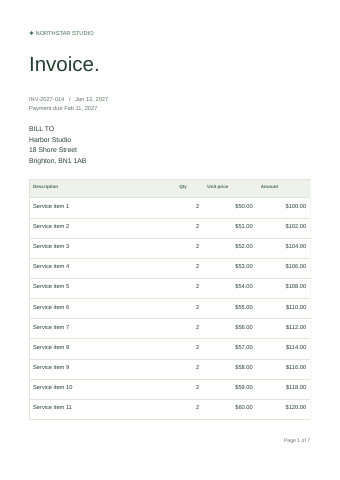
A repeating table with enough rows to test pagination in a real document.
Open 7-page PDF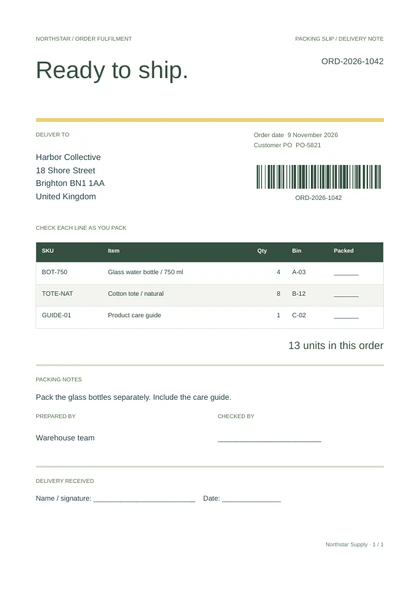
An operational document with item quantities, packing checks and a barcode.
Open PDF sample{{order.number}} in Properties.Once the template is connected, each order supplies its own barcode value. A teammate can move the barcode or change its size in Studio while the app keeps sending the same fields.
.rdl report firstBitavu has no direct RDL importer. Use the existing PDF as your reference and rebuild the document template in Studio.
Start with a PDF that your application delivers today, especially one that needs frequent layout edits.
Pick an invoice, statement or status PDF your app already delivers. Export a reference PDF. Write down its datasets, parameters, tablix groups, totals, expressions, headers and any subreport dependencies.
Use the existing app query or stored procedure. Apply tenant and report filters before rendering. Map the header to a JSON object, detail rows to an array and precomputed totals to fields.
Build the document in Studio. Bind a repeating table to the detail array and add shared headers or footers as needed. Test zero rows, a single row, long labels, several pages and the totals. Compare the result to the SSRS reference.
Keep the existing ASP.NET route. On the server, replace the SSRS export call with a Bitavu render request pinned to the tested revision. Run both paths for representative inputs, then switch that one PDF when it meets your checks.
Follow the ASP.NET Core integration guide Download an example JSON request
If SSRS sends a monthly statement to a changing list of recipients, write down where that list comes from and which parameters each recipient gets. With Bitavu, a scheduled job or automation reads those rules, queries the data, renders each PDF and sends or stores it. Test recipient filtering and delivery retries before switching a subscription.
See the Bitavu and n8n guide Compare Crystal Reports and Bitavu
Bring a sample record, rebuild the layout, and see whether a teammate could make the next change in Studio.
Start free trial14 days · Studio + API included · 1 seat. Payment card required. Your selected plan starts after the trial unless you cancel. How the trial works